01_Building a Security Data Pipeline

This is part 1 of my applied ML for cyber project - a hands-on exploration of applied machine learning in cybersecurity, built as a series of multiple exercises. It demonstrates the full workflow from raw security logs to actionable ML models, including data acquisition, cleaning, feature engineering, unsupervised and supervised learning, deep learning, and advanced optimisation techniques. I have covered the syllabus and direction of this project here.
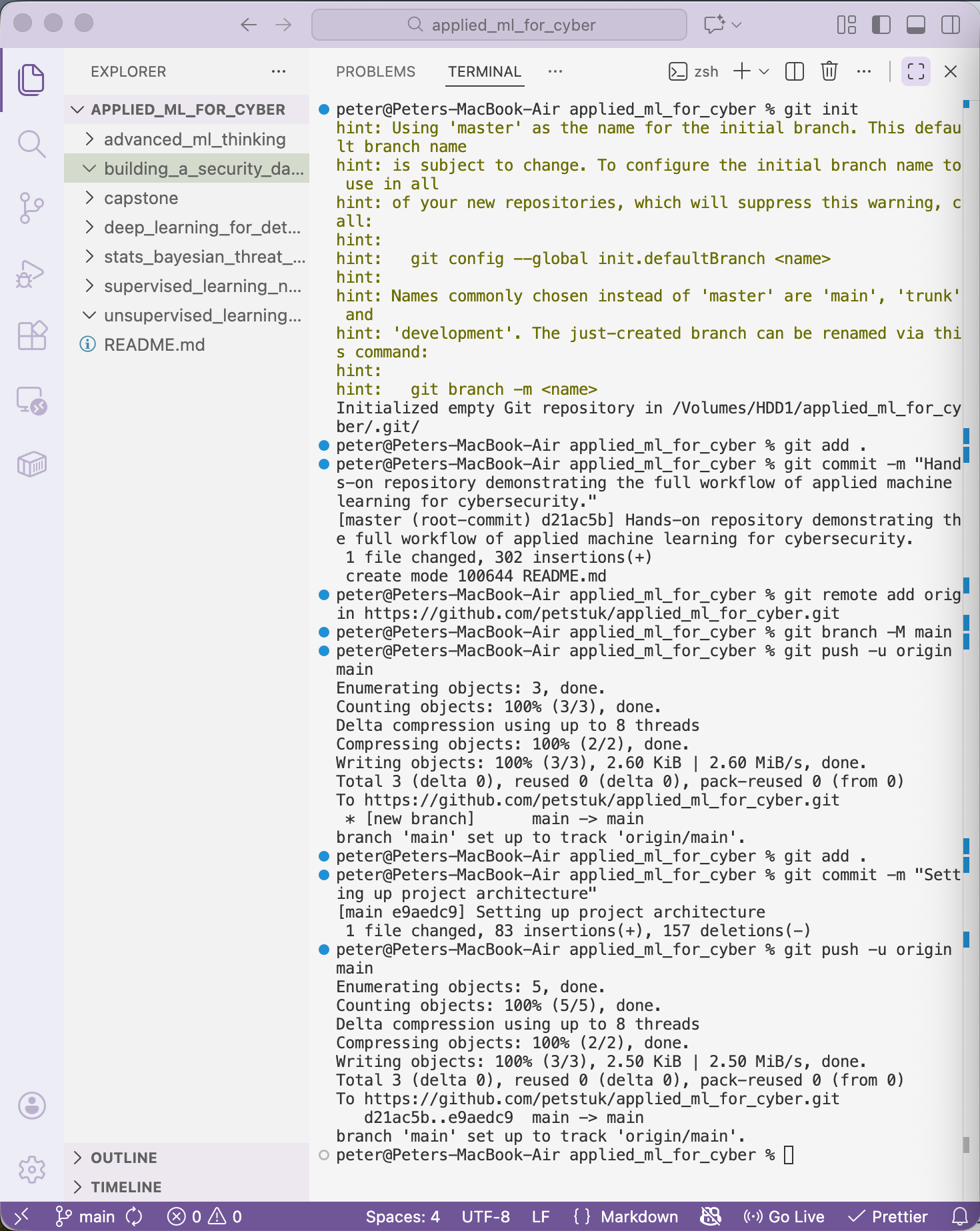
Initial actions started with a project architecture setup, following best practices for reproducible security pipelines, this included making each project directory within the overarching parent folder and committing this to a GitHub repository here.
A working Python environment is required before development begins.
VS code is already installed and Jupyter is in use.
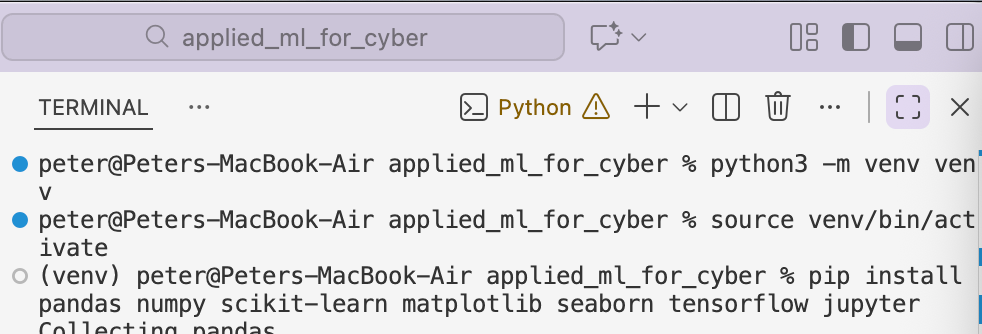
Required dependencies can be viewed in requirements.txt within the GitHub repository.
Set up has been complete and now I can continue building the security data pipeline.
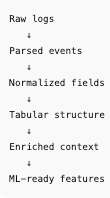
Before I start with the actual python and the logs, it's important to understand the process. Below is the process we are going to build.
The initial data source selected for this pipeline is macOS system.log, a practical starting point for host-based telemetry.
These logs can be found at /var/log/system.log. macOS system logs are ephemeral; in practice, pipelines must persist and aggregate logs over time for analytics.
What we're looking at may look like:
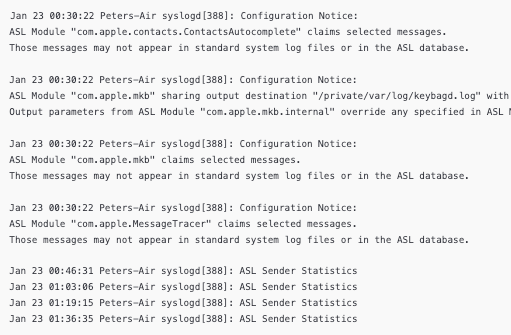
This has been split to show the multi-line output more clearly. Handling multi-line messages is critical to preserve event integrity and avoid splitting single events across multiple records. But, what we can see is; timestamp, device, service, PID and then the delimiter for the message :.
With the log structure understood, the implementation begins.
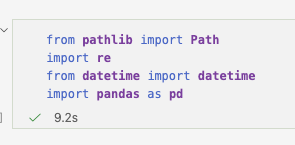
The required imports include:
Pathfor safe file handlingrefor regex-based pattern matchingdatetimefor timestamp normalisationpandasfor structured storage
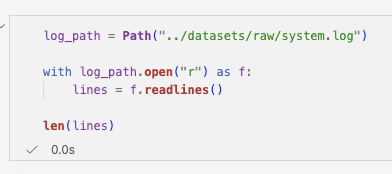
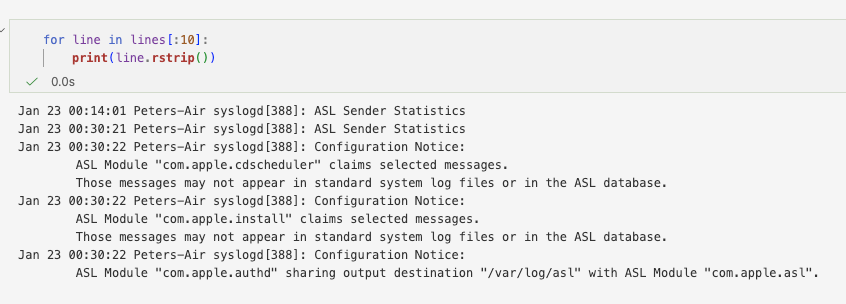
The log is loaded and inspected to understand header patterns. From this inspection, a regex header pattern is developed to identify event boundaries.
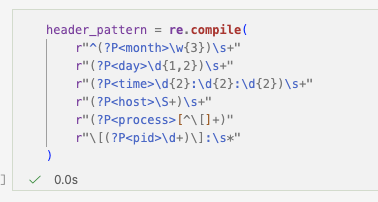
The header extracts:
- Month
- Day
- Time
- Host
- Process name
- PID
- Message delimiter
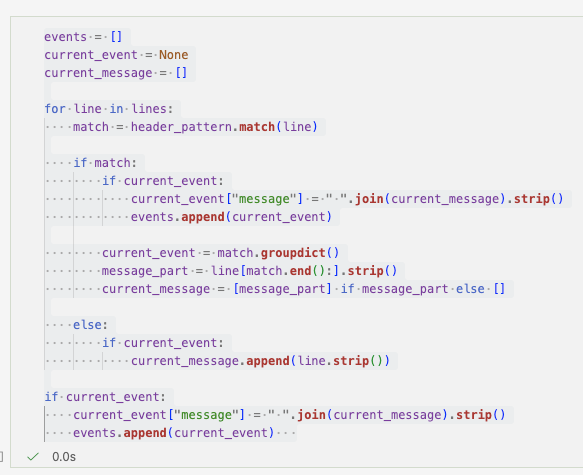
When a line matches the header pattern, it marks the start of a new event. If not, it is appended to the previous event. This ensures multi-line messages remain intact.
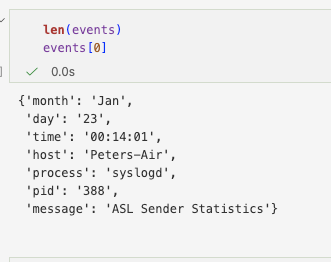
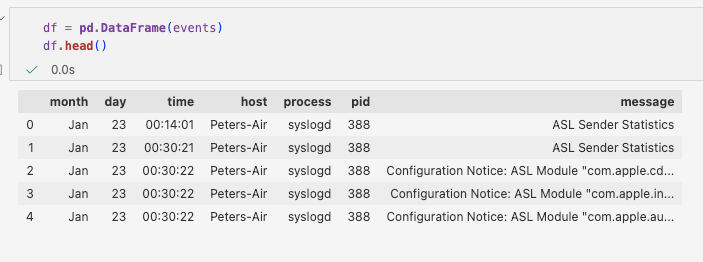
Each completed event is stored as a structured object ready for downstream processing. At this stage, raw logs have been transformed into structured records.
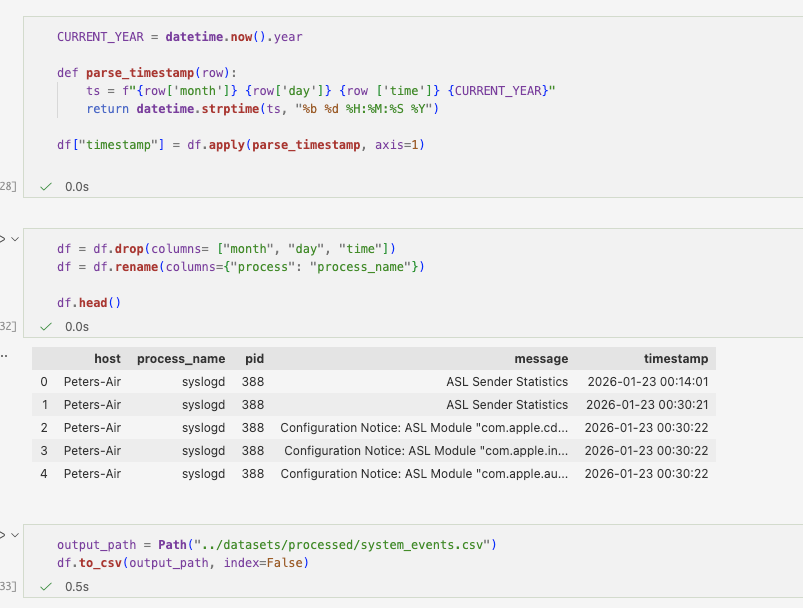
After structuring, timestamps are normalised into a consistent datetime format. This step is essential for correlation across log sources and for time-based feature engineering.
The structured events are exported into a processed dataset for the next stage of the pipeline.
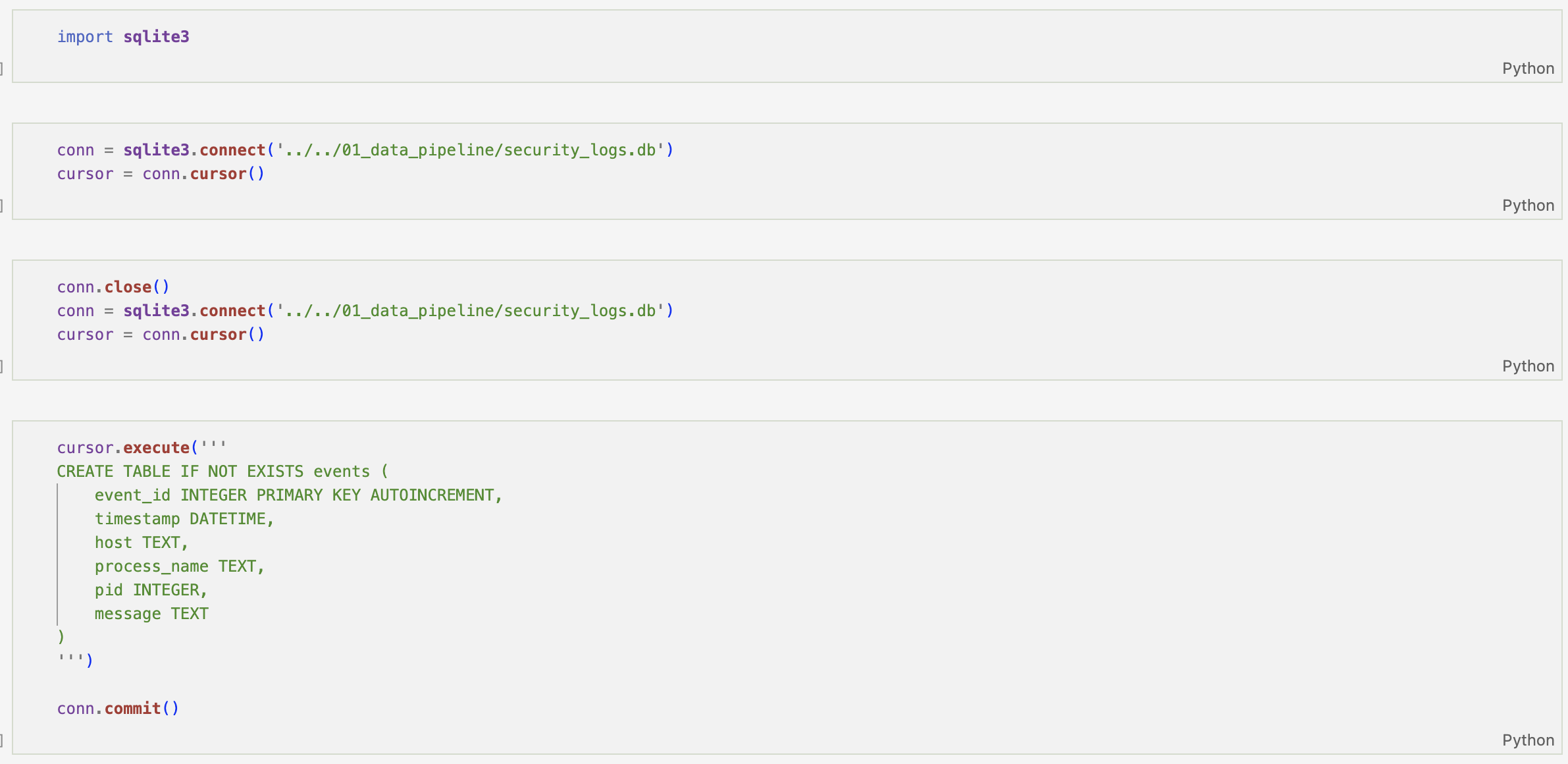
With normalisation complete and events stored in SQLite, the next stage focuses on behavioural enrichment.

Time-based context is introduced first. Timestamps are converted into true datetime objects, enabling extraction of hour-of-day and day-of-week features.
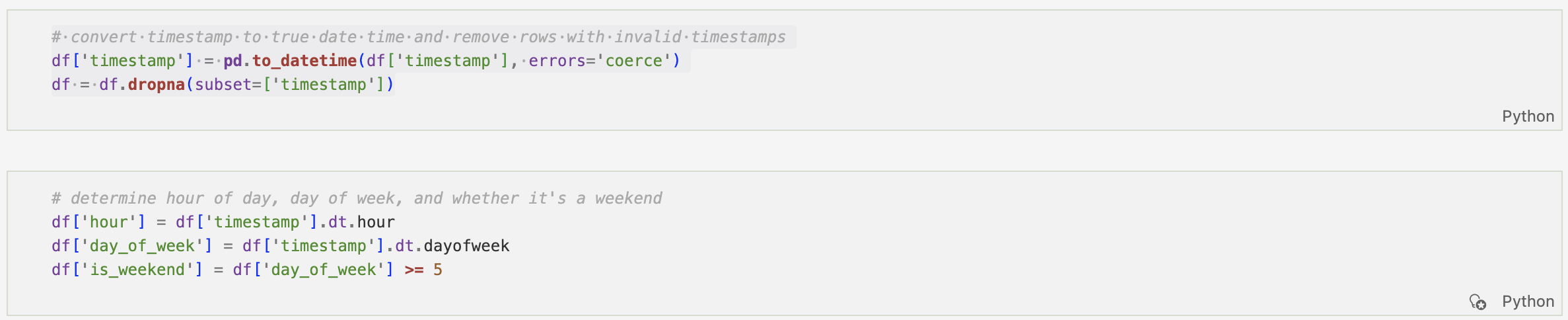
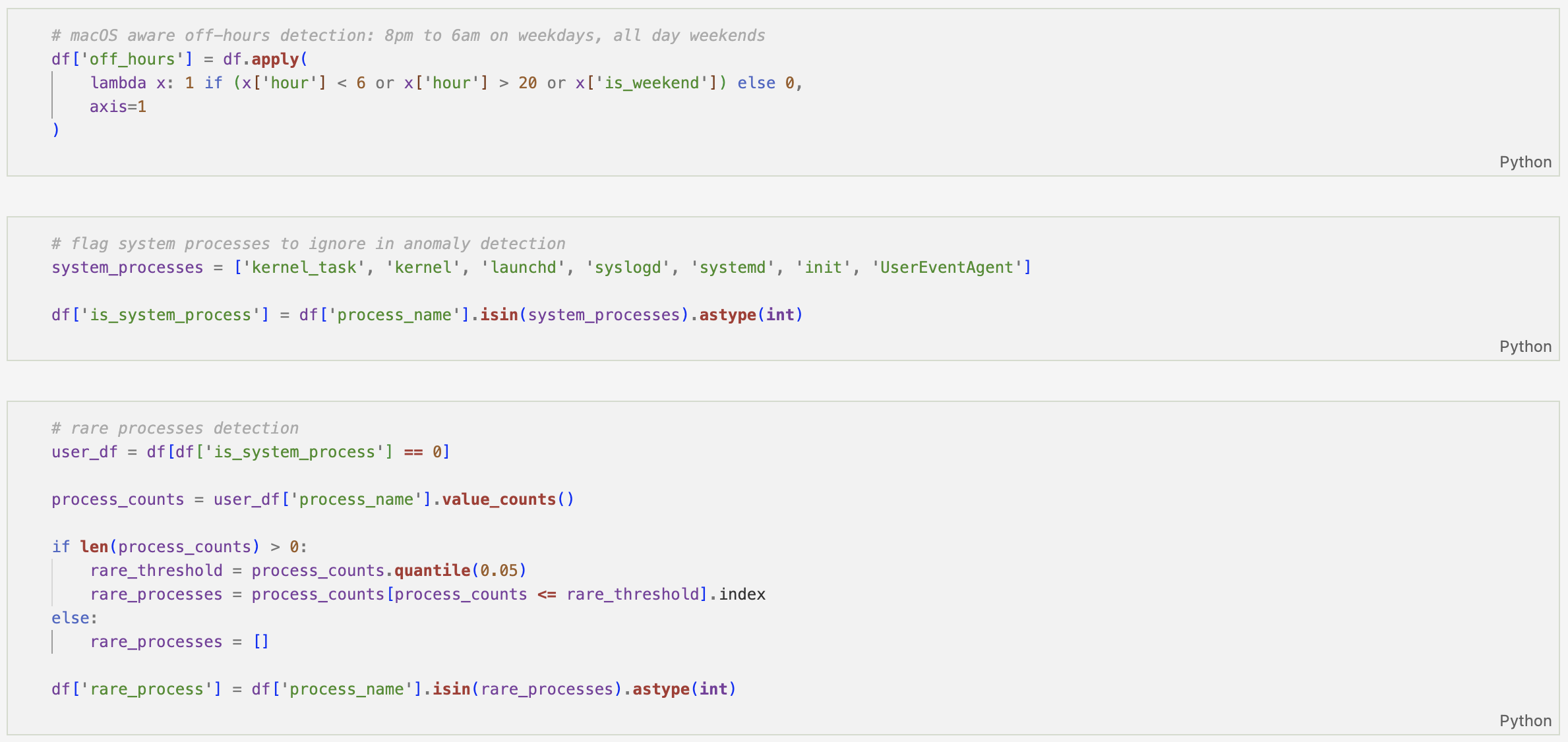
This allows for off-hours detection based on a defined working window, helping distinguish routine activity from potentially suspicious timing.
System-level noise is then filtered by flagging common macOS background processes. This ensures later anomaly detection focuses on meaningful user-driven behaviour rather than expected operating system activity.
From there, frequency and rarity-based signals are introduced:
- Rare process detection using lower quantile frequency thresholds
- First-seen process identification
- Session-aware first occurrence detection (based on >1 hour inactivity gaps)
- Rolling one-hour event counts for burst analysis
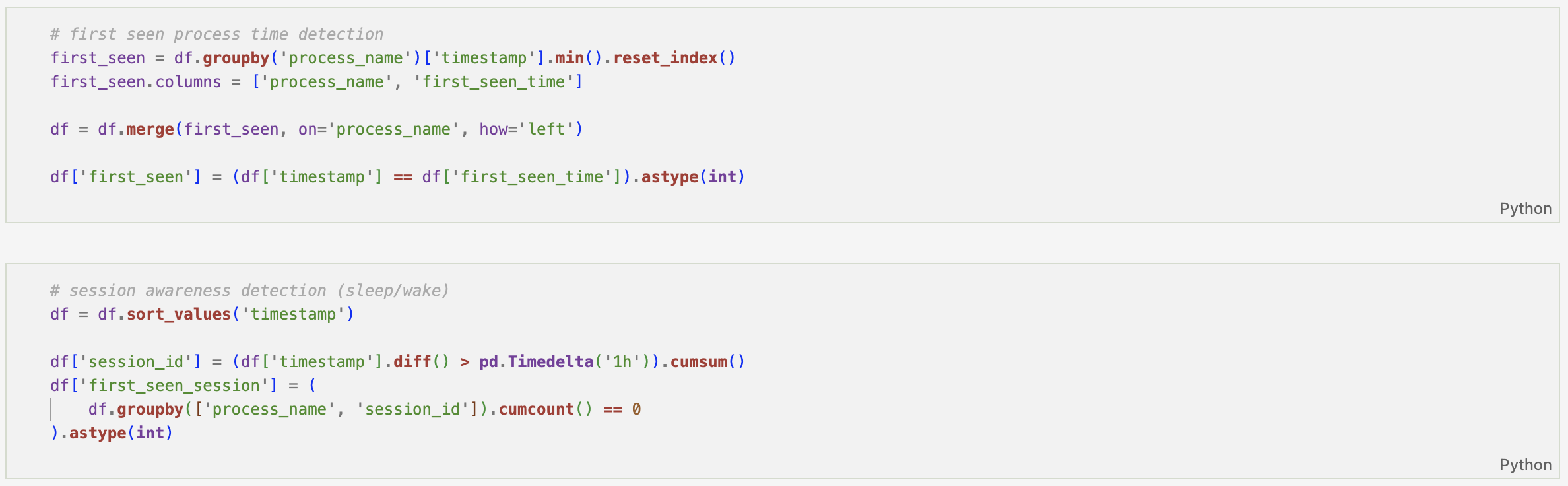
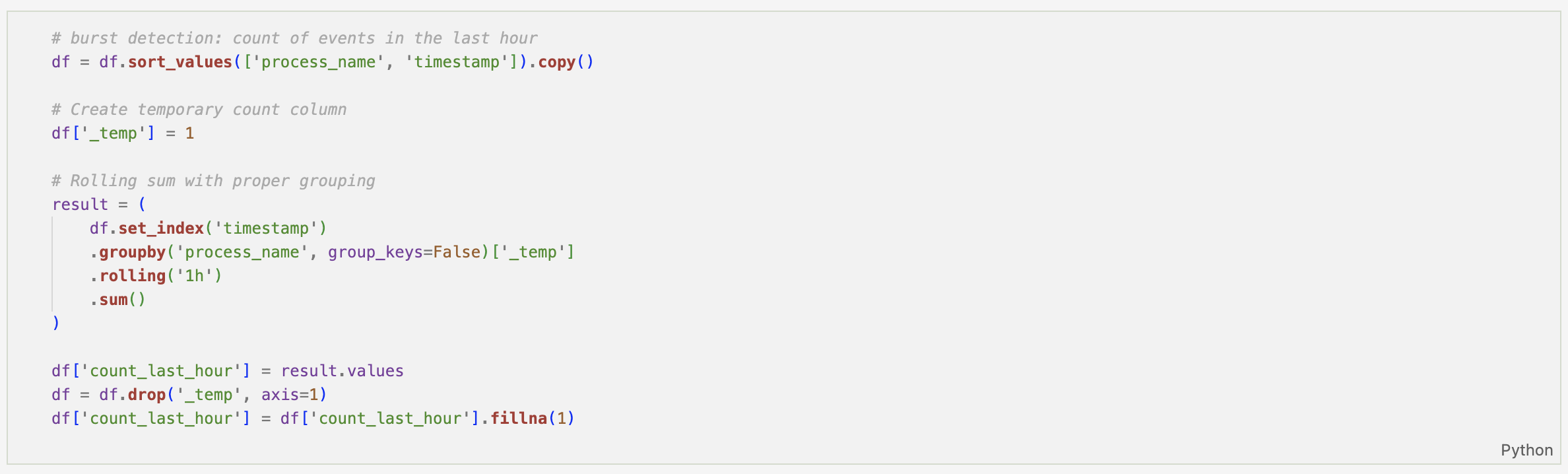
Each of these enrichments shifts the dataset from simple log records to contextual behavioural telemetry.
By the end of this notebook, structured macOS system logs have been transformed into a detection-ready dataset containing temporal, statistical, and session-aware features.
The enriched dataset is exported for downstream analysis, modeling, or rule development.

At this stage, enriched features are stored separately from raw event storage to preserve log integrity and maintain a clean analytics layer. These will be added to our analytics store later in the overall project.
This implementation is available in my GitHub repository.